Pixel Companion for YouTube — Chrome Extension
A pixel-art companion that appears while you watch YouTube videos
Overview
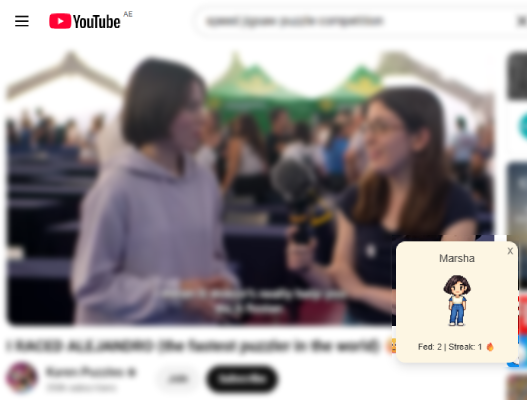
Pixel Companion for YouTube is a Chrome extension that adds a small animated pixel-art companion to the YouTube interface.
When YouTube loads, the extension injects a lightweight overlay that sits above the page. The companion reacts to viewing activity, displaying different expressions and tracking how often videos are watched. When a video finishes, the extension updates the companion’s state and behaviour.
The companion remains visible while browsing and watching videos, and users can drag it anywhere on the screen or customise its appearance through stored preferences. c
Inspiration
This project started as a small experiment while learning how Chrome extensions work.
A friend (Jonathan) watches a lot of YouTube and is always trying to convince the rest of us to watch videos whenever we're near a TV or a projector. I thought it would be funny to build a small pixel companion (named Jonathan) that appears whenever a video is playing.
Demo
Reacts to video completion
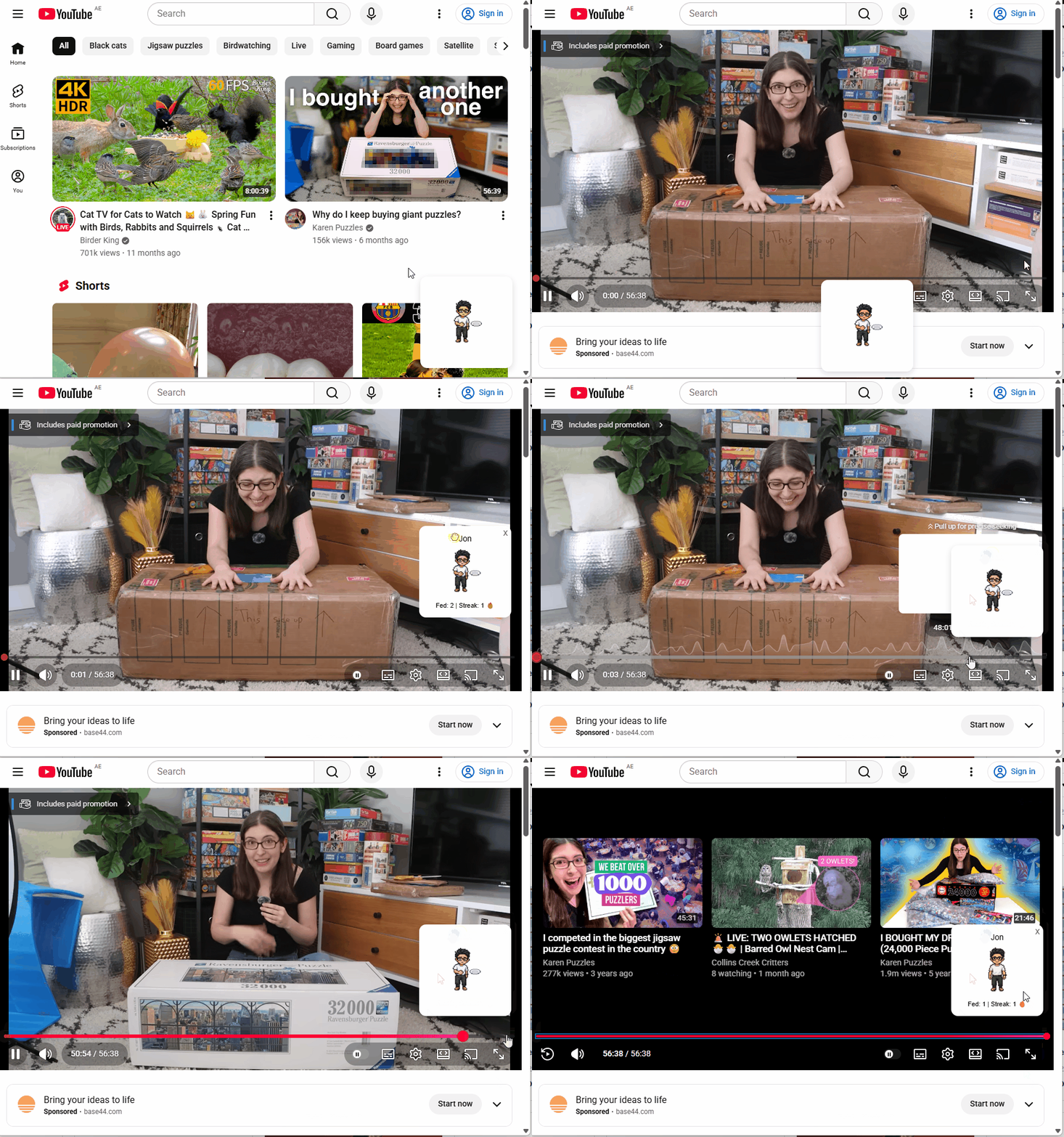
When a video ends, the extension detects the ended event and updates the companion’s state in real time.
The avatar changes expression based on viewing activity, reinforcing a sense of continuity across sessions.
Customisable companion
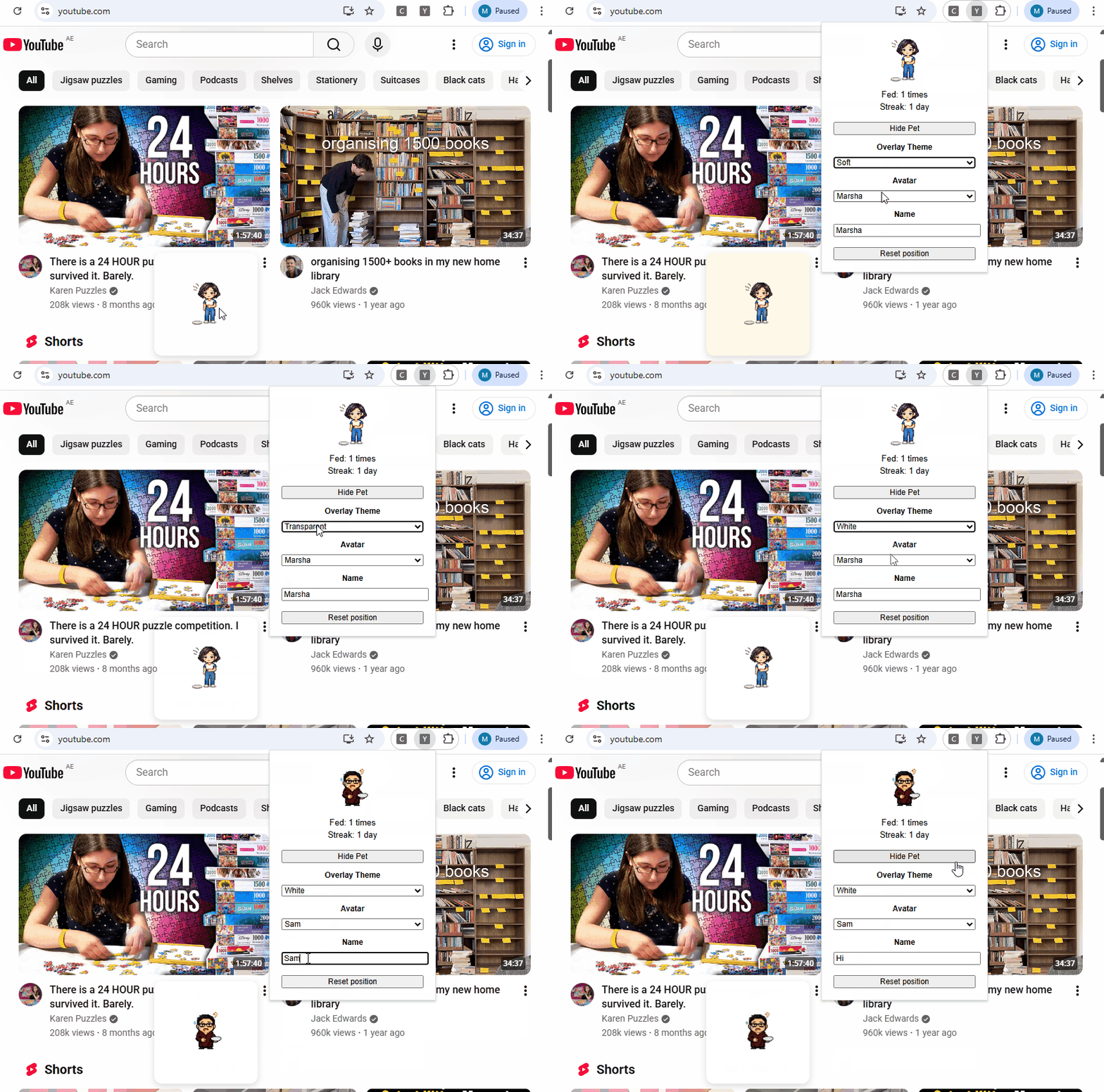
Users can personalise the appearance of the companion. Preferences are stored in
chrome.storage and automatically applied whenever the overlay is rendered.
Key Features
Pixel-art companion overlay
A small animated pixel-art companion is injected into the YouTube interface as an absolutely positioned overlay that sits above the video player without interfering with playback controls.
Drag-and-drop positioning
Users can drag the companion anywhere on the screen, with the final position saved so the overlay appears in the same location on future visits.
Expressions that react to viewing activity
The companion displays different expressions depending on the user's viewing activity:
| Condition | Expression |
|---|---|
| recently watched videos | happy |
| inactive for a while | hungry |
| idle state | sleepy |
| dragging interaction | surprised |
These state transitions are handled through event listeners that update the avatar sprite dynamically.
Persistent state with chrome.storage
Viewing activity and user preferences are stored using Chrome’s local storage API, allowing the extension to maintain state between browsing sessions. The overlay re-renders automatically whenever storage state changes.
Video completion detection
The content script periodically scans the page for the <video> element and attaches a listener for the ended event. When a video finishes, the extension sends a message to the background script, allowing the companion state to update.
Idle animation system
To make the companion feel alive, small idle animations are triggered periodically while avoiding interruption of active animations.
Architecture
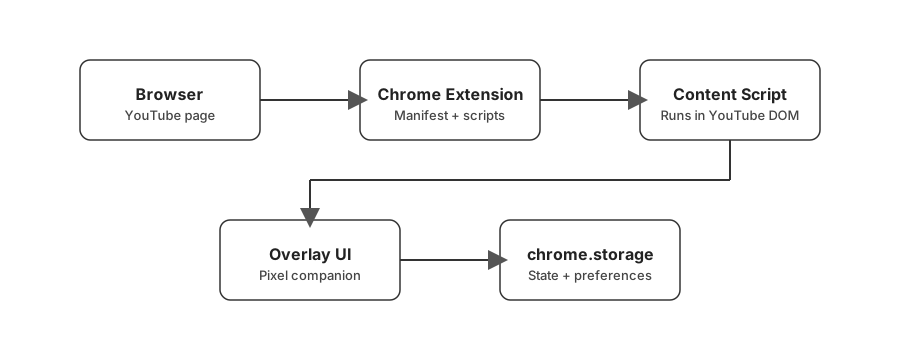
The extension runs a content script inside the YouTube page. This script injects the companion overlay, listens for video events, and updates the companion state stored in chrome.storage.
Challenges
YouTube's Dynamic Navigation
YouTube behaves as a single-page application, meaning navigating between videos does not always trigger a full page reload. The extension therefore needs to continuously detect when the <video> element changes and reattach event listeners.
Non-Intrusive Overlay Design
The companion was intentionally designed to be small and lightweight so it does not interfere with video playback or player controls.
What I Learned
Building this extension provided hands-on experience with:
- Chrome extension architecture
- DOM manipulation inside third-party pages
- event-driven UI systems
- persistent browser storage
- lightweight interactive overlays